habibi Casino & Sportsbook Mobile App
Accessing habibi on your mobile device means you can follow Liga 1 fixtures, place bets on Piala AFF matches, and join live-dealer tables whenever you have time. Whether you use Android, iOS, or a web browser, our platform is built for phones first—fast load times, simple navigation, and secure payment options including DANA, e-wallet, mobile banking, and local payment.

- and
- SHA256 Match
- LoginOTP Verification
Mobile sports betting and live casino gaming in Southeast Asia has grown steadily over recent years, with millions of users checking odds and managing accounts through their phones. We at habibi recognise this shift and have optimised every part of your experience—from downloading the app to withdrawing winnings—so that you spend less time on setup and more time on what matters.
This guide walks you through Android APK installation, iOS browser access, and web-app setup. We'll cover common questions about device compatibility, security, and the differences between our app and browser versions so you can choose what works best for you.
habibi Installation Methods
We offer three main ways to access habibi on mobile: a native Android APK download, an iOS web app through your Safari browser, and a progressive web app (PWA) that works on any modern phone. Each path has been tested to work smoothly on standard networks and even when your connection is slower.

Step-by-Step Setup on habibi
Getting started takes just four steps: download the app or open our web page, create your habibi account, verify your identity, and deposit funds using your preferred payment method. We'll outline each one below.
- Download or open habibi. On Android, visit our download page and tap the APK link; your phone will ask permission to install apps from unknown sources (a normal security step). On iOS, open Safari, go to habibi.im, and bookmark the page or add it to your home screen. On any browser, simply visit our site.
- Register your habibi account. Tap "Open account" and fill in your email, create a password, and set a username. You'll receive a confirmation email—click the link to verify.
- Complete account verification. Upload a copy of your identity document (KTP, passport, or driver's license) and proof of address (recent utility bill or bank statement). Our support team will review these within standard processing windows.
- Make your first deposit on habibi. Once verified, tap "Deposit" and choose from DANA, e-wallet, mobile banking, local payment, online payment, e-wallet, mobile banking, local payment, online payment, or e-wallet. Enter your amount and follow the bank's payment prompt.
After your deposit clears, you'll have immediate access to our sportsbook (football, Piala AFF, MotoGP, badminton), live-dealer casino tables, slot games including Aviator and Sweet Bonanza, and esports markets for Mobile Legends and Free Fire.
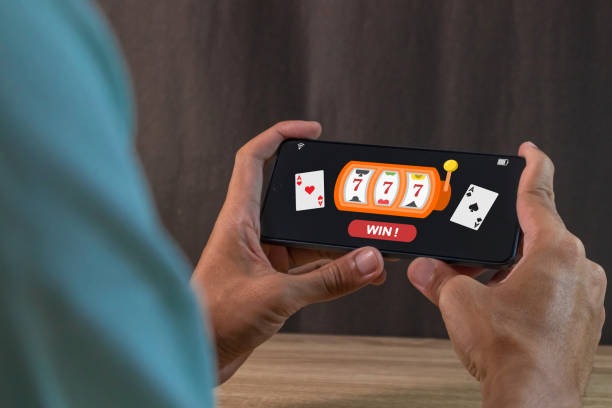
Native App vs Web Browser on habibi
App Strengths
- Offline cache—view markets and account history without internet
- Push notifications for live match updates and casino promotions
- Faster launch—no browser overhead, instant access to Liga 1 odds
- Home screen icon—single tap from your phone's main screen
Browser Strengths
- No download—access habibi immediately from any phone
- Works across Android, iOS, and tablets without separate versions
- Always up to date—no manual app updates needed
- Privacy control—easier to clear browsing data if desired
Most users on habibi switch between both: the app for fast access during Idul Fitri tournaments and major Piala Indonesia matches, and the browser when using a shared device or when they want to avoid installation.
Device Compatibility & Support
If you're using an older Android device or an older iPhone model, habibi's web version is often more reliable than the native app. Browser performance tends to degrade less noticeably on legacy hardware, and you avoid large file downloads.
Troubleshooting Common Installation Issues
On Android, if you see an "Unknown sources" warning, open Settings → Security, find "Unknown sources," and enable it. This allows your phone to install apps outside the Google Play Store—a standard step for downloading APK files directly. Once habibi is installed, you can disable this setting again if you prefer.
On iOS, Safari may not allow you to add habibi to your home screen on older versions. If that happens, update iOS to the latest version or use Chrome instead. After adding habibi to your home screen, open it once from Safari (not the home screen shortcut) to confirm your session, then use the shortcut from that point forward.
If you experience slow loading, clear your browser cache (Settings → Safari → Clear History and Website Data on iOS, or Settings → Chrome → Clear browsing data on Android). If habibi still loads slowly, check your internet connection by visiting a news site—if that's also slow, it's a network issue rather than an app issue.
Data, Permissions & Account Security on habibi
We at habibi request only the permissions needed to function: camera access (for identity verification during KYC), contacts (optional, for referral features), and location (optional, to show nearby payment partners in major cities like Jakarta, Surabaya, and Bandung). You can deny any of these after installation and habibi will still work. Your account password is encrypted and never stored in plain text on your device. When you log out or uninstall the app, your login session ends immediately.
If you suspect unauthorised access to your habibi account, change your password and enable two-factor authentication in your account settings. Our support team can help you review login history and lock out suspicious sessions if needed.
Key takeaways
- Android APK offers fast access and offline functionality; iOS requires browser or home screen shortcut.
- Setup takes four steps: download, register, verify identity, and deposit using DANA, e-wallet, mobile banking, or other local methods.
- App vs browser choice depends on your device and preference—both deliver full access to habibi's sportsbook, live casino, and esports markets.
- Device compatibility starts at Android 7 and iOS 12; older phones may perform better with the web version.
- Clear cache, check network strength, and enable two-factor authentication to maintain smooth performance and account security.
Getting Started on habibi Today
Whether you're tracking Liga 1 standings, watching live roulette and baccarat tables, or exploring esports markets for Mobile Legends, habibi's mobile experience is designed to be straightforward and fast. Download the Android app, add our web version to your iOS home screen, or simply open a browser—all three paths lead to the same account, the same markets, and the same payment options.
Our support team is available through email and live chat if you run into questions during setup or account verification. Services are available only in jurisdictions where local law permits.